Tufan Terminal
One window. Every shell. Zero chaos.
A frameless, GPU-accelerated terminal workspace for Windows. Group your shells by project, split panes any direction, and never lose a running process to a closed tab again.
Free · Windows 10/11 · 64-bit · ~6 MB · Auto-updates
EVERYTHING YOU NEED
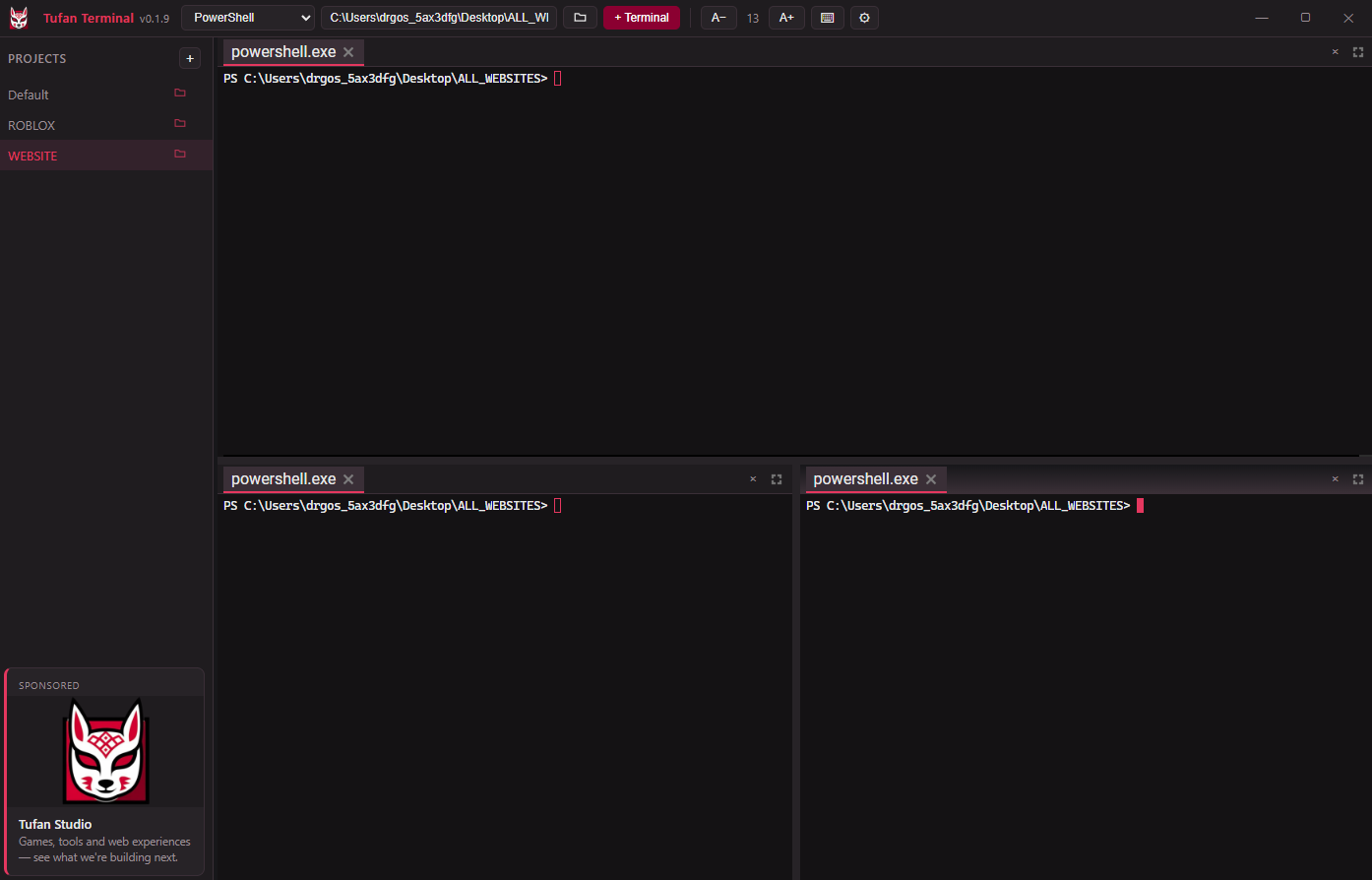
Projects, not tabs
Group terminals by what you're working on; your shells survive project switches, running in the background.
Visual pane management
Drag to re-dock, split any direction, stack as tabs, zoom to fullscreen, double-click to rename.
Real Windows terminal behavior
Ctrl+C copies on selection (SIGINT otherwise), Ctrl+V pastes, arrow-key history survives TUIs, mouse works in htop/vim/tmux, true color including Claude Code.
Per-project directories
Every project remembers its folder; new terminals open where they belong.
Per-pane font zoom
Ctrl+scroll zooms only the terminal under your cursor.
4 themes
Tufan Crimson, Midnight Blue, Emerald, Porcelain, with matching terminal palettes.
Full keyboard control
Ctrl+Shift+T/W/D/F/Z, splits with Alt+Shift+arrows, built-in cheatsheet.
Find in terminal
Ctrl+Shift+F with match cycling.
GPU-accelerated rendering
Heavy build logs stay smooth.
Self-updating
New versions install themselves from our own server, cryptographically signed.
Four shells
PowerShell, CMD, Git Bash, WSL, each in its own directory.
NOT ANOTHER TAB BAR
Everything persists
Layouts, shells, themes, sizes, and projects — exactly as you left them.
Frameless & theme-matched
A draggable, borderless window that looks like part of your OS, not a plugin.
Featherweight
Built on Tauri + Rust, not Electron — starts instantly, sips memory.
Free
No license, no trial, no catch. Just download and go.
GRAB YOUR TERMINAL
One installer, zero friction. Every future update lands itself.
Download for WindowsFree · Windows 10/11 · 64-bit · ~6 MB · Auto-updates
Windows may show a SmartScreen prompt on first run since the app isn’t code-signed yet — click "More info" → "Run anyway".
← Back to Tufan Studio